2011, Google launched the first alpha version of Flutter and for many years, Flutter stayed in the dark. Flutter is a solution to build hybrid mobile app with native code for Android, iOS and web. Since 2018, the stable version 1.0 is launched. Firstly, without null-safety. Then, since 2021, the version 2.0 includes null-safety that involved many refactoring, including updates for all dependencies. A big refactoring between the 2 first versions, it’s not without reminding the story of Angular JS / Angular 2+.
Flutter is an open-source framework based on the Dart language, a Google language launched in the same time, very similar to Java or other object-oriented programming. For the moment, we can easily affirm that Dart mainly lives thanks to Flutter.
Flutter is a solution that competes with React Native, Ionic … and is now a serious choice for hybrid app since big business like SNCF announce for example that his future app, Sncf Connect, is developed with Flutter. Google Pay, Ebay, BMW, Toyota are also other examples.
Let me introduce you:
- A quick overview of the dart language
- A quick overview of the flutter framework
- Some interesting packages to work with
- My personal opinion
A Dart overview
We could be afraid to learn a new language, then, a Framework. In fact, it’s not really painful. Dart is really similar to Java. We retrieve most concepts from Java including OOP characteristics, but also, some similarities like streams and features from other languages (null-safety, promises or the dynamic type).
Dart has also his own features like named constructors:
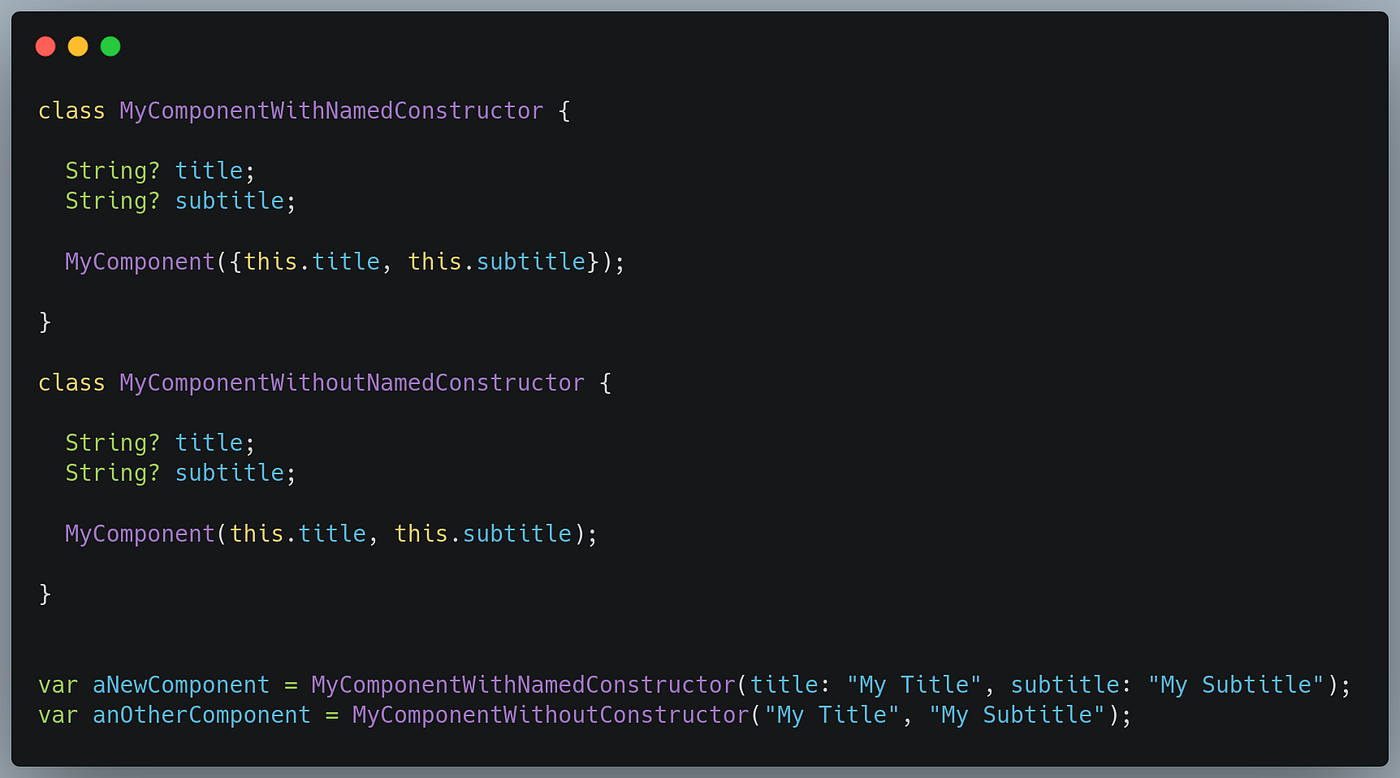
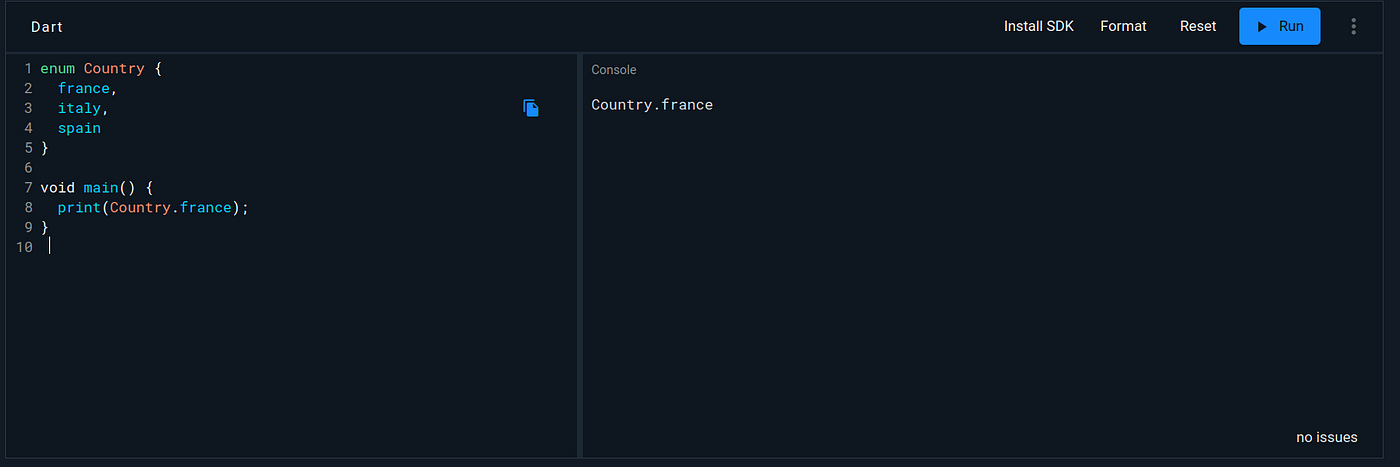
In my own experience, with skills from Java and Typescript, it was natural to understand and start developing in Dart. However, there is some shortcoming in the language. The greater are Enums: there are not as elaborate as Java and are frequently replaced in String type while we deal with data or want to use it as UI label for example.
Dart is used mainly for Flutter, but could be a serious competitor to other back-end languages. It is similar to Java that makes the learning easy and embeds null-safety to prevent NPE. The Dynamic type allows to use flexible and imprecise type in order to facilitate data integration from external sources. We also retrieve the cascade operator (..) to quickly call many methods from an instance.
Feel free to take some minutes to check samples from the Dart website.
A Flutter overview
Flutter is nothing else than a Framework based on Dart in a same way that Angular is a Framework based on Javascript. It embeds Material Design components as a Dart library, a lot of tools to build and test app on Android, iOS or Web quickly. In Flutter “All are widgets”. A Widget is similar to the component notion in React or Angular. The DOM could be comparable to the tree of widgets in Flutter.
Flutter has two types of widget: stateful or stateless. Statefuls are comparable to React components with states defined while stateless are fixed components.
Containercould be similar to a simple<div>in HTML, you can add attribute like Padding and can have only one child.Column(orRow) are widget that could be similar to a flex<div>in HTML/CSS, with the correct flex-direction.
My first steps with Flutter was really easy to understand and fast to deploy. On the contrary of native development, Flutter embedded hot reload and hot restart so that you can see your modifications in real-time.
Around Flutter
Dart and Flutter started to have a large community gathered in the Pub Dev. It is the official repository for packages. I present you some major ones you should know for your first developments:
1. Geolocator
Getting access to the GPS is a common usage in mobile. Geolocator helps you ask permission to access and request the device location for iOS or Android.
2. Flutter local notification
Send or schedule notifications is the promise of flutter_local_notifications.
3. Get It
For large apps, you will probably want to have only one instance of your services. Thanks to Get It, you will be able to introduce dependency injections (like in Java Spring).
4. Autoroute
In your app, you will probably want a well-organized routes system. Thanks to autoroute, deeplinking, or accessing to a screen from another screen will be more simple.
5. BloC and Cubit
BloC and Cubit are structured libs that architecture your app and handle states. Thanks to them, states could be shared between widgets and screens. There is an extra gap to understand and learn Bloc and Cubit, but once you jump the gap, you could not do without it!
6. Firebase
Firebase and Flutter are two Google products that imply that Firebase is fully supported on Flutter with a specific documentation for it.
To discover widgets and libs, the Flutter YouTube channel does a focus on each video. An easy way to quickly learn the framework.
Personal opinion about Flutter development
Because of an hybrid framework, Flutter inherits the same disadvantages of others hybrid frameworks like a same UI between OS, a slowness, not-native UI effects and some specific code for an OS. Flutter does not prevent some development inside native code (Swift or Kotlin).
However, I’m pleasantly surprised with Flutter. It’s fast to develop, fast to deploy, the code does not come from a web language, so the build in the native OS language is more realistic and without web-view for UI rendering. The Dart language contains a lot of specifications of common languages and it is easy to learn.
Finally, it remains an economic and smart choice: just one project, no code duplication between OS (shared code-base), Java or web developers can easily upskill in Flutter and you can retrieve better performance than web-based hybrid languages.